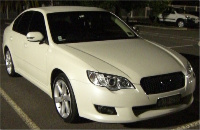
Custom Car PC with GPS, M.Media, Wifi, ECU & Internet

Stereos, amps, phone kits, Navi...

Custom Car PC with GPS, M.Media, Wifi, ECU & Internet

Postby tehx » Sun Jun 28, 2009 7:12 pm

Introduction

I thought I might post and share this project will everyone to get your thoughts and ideas on installing a custom car PC and also provide a resource for others wishing to do the same.

Aim

To install a PC Multimedia system into the Subaru Liberty GT Spec B with the following requirements:

  • Retain the look of the factory GPS with regards to screen location and installation
  • VGA Touch Screen
  • GPS navigation
  • DVD / MPEG / DivX / DVB-T
  • OpenECU tuning tools including the ability to log and display ECU parameters in real time.
  • Digital gauges and graphs (similar to the gauges in an R35 GTR)
  • WiFi connectivity to home network with automatic synchronisation of files and folders.
  • 3G & Wifi Internet access including all protocols for VoIP, WWW, Email, Messenger
  • Component based install, with separate LCD screen and PC for ease of replacement / upgrades.
  • Bluetooth Sync to mobile devices (phones etc)

LCD Screen

After researching a number of custom car PC instillations I have chosen to use a 7” LCD Touch Screen from Lilliput (629GL-70NP/C/T). This screen has an LED backlight and 4-wire resistive touch screen with USB interface. Removed from its OEM case it will fit exactly into a 2-DIN space. It also includes a IR remote control. It has a VGA input (1024 x 768) so it can be connected directly to a PC. Compared to using a VGA to PAL converter, the quality is far superior.

Edit: mp3car.com have a modified transflective version of the 7" Lilliput LCD. It retails for about three times the price though! After watching a few youtube video's, comparing the transflective and non-transflective versions I was able to see what a difference this enhancement makes. Given the bright (and hot) summers here in Oz I think the transflective version would be a good investment. http://www.youtube.com/watch?v=FaeBO46qgvw

http://store.mp3car.com/7_inch_Touchscreens_s/27.htm
http://www.lilliputweb.net/ts629.html
http://www.mechatroniks.com/wrx/ordering.html
http://www.mechatroniks.com/wrx/carcomputer.html

The PC

I have chosen the EeePC (1002HA) by Asus over a custom car type PC for a number of reasons. The EeePC is a small, low cost and lightweight ‘Netbook’ type computer. It contains a 1.6Ghz Intel Atom processor, 1GB of RAM and a 160GB hard disk drive. There are 3 USB ports, Bluetooth, WiFi and VGA out. It has an internal battery capable of powering the unit for about 5 hours.

The internal battery offers the ability to run the PC without the use of the car’s battery. When the car is switched off, the PC will remain running, downloading / synchronising media from my home PC over WiFi. Once synchronisation is complete the PC will shutdown automatically. This eliminates the need for CD and DVD in the car.

I purchased the EeePC and the 5-year warranty. Given the environment that the PC will be running in I think the extended warranty is a wise choice. I think you will be hard pressed to build a car pc (case, psu, cpu etc) for this price & you will only have a 1yr warranty on components.

The EeePC is a compact notebook & contains its own LCD screen although, while in the car, it will be connected to the LCD in the dash. It can be easily removed from the car and used as a stand-alone device. The EeePCs’ 3.5mm Audio Out will interface with the Macintosh system via the AUX input. The 3.5mm mic input will be wired to a microphone, located hear the drivers sun visor for voice control and Bluetooth calling.

PC Options

I purchased the Tactrix OpenPort 2.0 cable which will connect the car’s ECU to the EeePC via USB. This will allow me to run ROMRadier and other tools to log ECU parameters in real time. The data will also be used to run custom gauges, in software, similar to that used in the R35 GTR.

A USB GPS receiver will provide GPS data to the software. Storage can be expanded with a 500GB notebook drive if required.

Software

I will be dual booting the EeePC with Windows XP and eeebuntu - a flavor of Ubuntu Linux for the EeePC.

Windows XP
Over the past few weeks I have been testing a few front-end applications to drive the Car PC. The first is a free application called FrodoPlayer http://www.licausi.com/frodoplayer/. This is a simple touch screen optimised GUI and offers the ability to launch applications, play video, audio and has changeable skins. I found the software a little to simplistic and the interface is a bit rough. It would also seem that development has been discontinued some time ago. The next product I tested was StreetDeck http://streetdeck.com/ a very nice front end GUI with many customised options. The interface is animated and the developer tools allow the GUI to be further expanded beyond its original form. Finally I tested Centrafuse 2.0 by flux media http://www.fluxmedia.net/Default.aspx. This application is most impressive! The GUI is fully customizable, animated and smooth. .NET plugins are available including this neat OBDII plugin supporting the Subaru SSM protocol- follow the posts at: http://www.mp3car.com/vbulletin/centrafuse/123717-subaru-ssm-working-almost.html An SDK is available in many languages (C++, C# VB etc) and out of the box it supports Bluetooth audio, voice commands, WiFi, IE, Rear Camera, OBDII graphs / gauges - the list is impressive. It has built in Sat-Nav, using Destinator Australia, however the maps are a few years old. I was reading a post and they are having problems getting maps from Destinator. The new version of Centrafuse (v3) is due out soon and the forums mention that they are changing vendors and including the ability to integrate other versions of nav software. The cost; a very reasonable $62. Given the impressive feedback, forums and development going on with this product right now I feel it will be a great choice for further upgrades & development of my own.

My GPS software of choice is Garmin Mobile PC which I will launch/run right out of Centrafuse. The Australian maps are up to date, the interface is very nice and it works a treat. Other Apps I will launch from Centrafuse include: RomRaider http://www.romraider.com and the SSM plugin mentioned above.

I should also note that I tested Windows Media Center and MythTV. I found that these apps are not really optimised for a touch screen and at the very least you need a remote control to perform operations. The lack of a 'back' button on-screen means you need to either press 'esc' on the keyboard or use the remote for navigation.

eeebuntu
I was planning on using eebuntu and MythTV as my main interface however this was before I discovered Centrafuse. The power, flexibility and simplicity of Windows & Centrafuse makes for a quick install and smooth operations. I plan to continue testing an Ubuntu flavor of CarPC however I am rather excited about developing plug-ins in C++ for Centrafuse so this will be my main focus. More on that as I get everything installed.

I will be using eeebuntu NBR, a version of Ubuntu Linux customised for the EeePC. The NBR version is customised for net-books and provides an X layout that is optimised for use with a touch screen. http://eeebuntu.org/index.php?page=nbr

MythTV will provide the main interface for the system including all multimedia features. Its customisability & skins allow buttons to be configured to launch other applications such as GPS and ECU software. http://www.mythtv.org/detail/mythtv

RomRaider is developed in Java with a Win32 and Linux version available for download. http://www.romraider.com

Garmin Mobile PC will be used (under Wine emulation) as the default GPS application. https://buy.garmin.com/shop/shop.do?cID=139&pID=13484

Cost of Hardware

EeePC $419
5 yr Warranty $79
mp3car.com Lilliput Transflective 7" LCD (629GL) $1025
Tactrix OpenPort 2.0 $267
Cables $30
USB GPS $49
Double Din Console $330 from AVO (H0017AG932) insure you get this model as it fits the Lilliput perfectly
Centrafuse S/ware $80.80
Total $2279
*All prices in AU dollars and includes delivery

Subaru only stock the standard (non GPS) type console for $275 so I purchased one from AVO JDM – see Hobbers’ post below. I also own a copy of Garmin Mobile PC so factor this in if you plan to purchase GPS software. Note: The standard Lilliput 7" LCD (non transflective enhancement) costs only $330 AUD delivered.

Installation

Installation should be rather simple with the majority of work centred around modifying and installing the LCD screen. Looking at pictures of the Subaru OEM facia for Sat Nav - just some trimming and installing of mount points will be required to fit the LCD. If the standard facia (with the lift up lid) is used then plastic work, priming and painting will be required to remove the clock and fill this section to fit the size of the LCD. A couple of links below on how to modify a facia / bezel for custom installs.

http://legacygt.com/forums/showthread.php?t=83916&page=2
http://www.mechatroniks.com/wrx/carcomputer.html
https://www.timekiller.org/carpc/index.php

More photos can be found on Pg. 3 of this post.
Attachments
Video.jpg
Video.jpg (58.17 KiB) Viewed 14871 times
Digital_Gauges.jpg
Digital_Gauges.jpg (60.57 KiB) Viewed 14872 times
all_view1.jpg
all_view1.jpg (48.46 KiB) Viewed 14872 times
Last edited by tehx on Thu Jul 23, 2009 6:59 pm, edited 15 times in total.
MY07 Subaru Liberty GT Spec.B - Tuned by Pulse
| Hyperflow TMI | Custom Stainless Exhaust from Turbo back - developed & tested by Pulse Racing |Custom Chrome CAI | Organic Clutch | DBA 4000 Slotted Rotors & Redstuff pads | Whiteline Swaybars | STI Rear Lip & Front Spoiler | STI Short Shifter & Gear Knob | LED Internal, Park, Plate & Fog lamps - 6000k HIDs | OpenECU | Custom CarPC by M@ |
tehx
 
Posts: 75
Joined: Tue Feb 10, 2009 10:21 pm
Location: Canberra, Australia (ACT)
Car: Liberty GT Spec.B - Tuned by Pulse
Real name: M@

Re: Custom Car PC with GPS, M.Media, Wifi, ECU & Internet

Postby tehx » Sun Jun 28, 2009 7:14 pm

Hardware & the Install Process

Remote Startup / Activation of your laptop (EeePC) when car starts - WOL Circuit

Edit: I could not get the WOL to work on the EeePC 1002HA as it is not supported. Insetead, I will be using a magnetic reed switch to power the EeePC when the car starts. Details of this can be found below the WOL section which I have left in this post as you may be able to use this function in your setup. You may have a laptop with WOL enabled or even ACPI - advanced power managment which will wake the laptop on connection of external power.

I will be using the wake on Link (WOL) function on the EeePC to start-up the EeePC when the ignition is turned on. Check this forum post for wiring details and an application called 'ShutControl', which enables you setup automatic shutdown / hibernate & loading of applications on boot.http://www.mp3car.com/vbulletin/software-software-development/84847-shutcontrol-laptop-shutdown-controller-software.html#post912379

I have included a diode across the relay(s) to stop back EMF which is good practice when using relays in circuits. The circuit shows all wiring and components that I will be mounting inside a black 'Zippy Box'. This circuit has been constructed in such a way that it takes +ve and -ve from the car's battery and +ve from the Ignition. When the Ignition is turned on, the circuit connects the LCD and Laptop to power (car's battery). If you are using a cigarette lighter socket to power the LCD and Laptop, you don't need to worry about Ignition as the cigarette lighter socket only powers up when the ignition is on. If this is the case the circuit could be simplified to include only 1 relay; for the Ethernet Port connection of pins 2 and 6. While I plan to use the cig power socket in the centre console, I decided to build the full circuit just in case. In this mode the -ve from the cig lighter socket feeds the -ve input and I have 'Y' split the +ve to power the +ve and ign +ve as well.

I have purchased an EeePC cigarette lighter power adaptor from ebay. The adaptor includes a regulated 12v DC PSU capable of 4 amps. The max current draw of the EeePC is 3.2 amps, at full charge. I have removed the regulated PSU board from the cigarette lighter adaptor and mounted this in the black Jiffy box, with the relays for power and WOL. I then re-used the cigarette lighter casing to power the Jiffy Box / circuit by soldering +ve and -ve cables to the terminals and a plug to the other end of the cables.

Part's List

1 x 10 Amp, 12v DC Relay
1 x 1 Amp, 12v DC Relay
2 x 1N74004 Diodes
1 x Red and Black Heat Shrink
4 x DC Power Sockets
4 x DC Power Plugs
1 x Jiffy Box (black)
1 metre of 24N wire (black)
1 metre of 24N wire (red)
1 x RJ45 Socket (LAN)
- Total Cost is approximately $40 AU

1 x EeePC Cigerette Lighter Power Supply - $15

Building the WOL Circuit

The first step is to familiarize yourself with the WOL circuit and think about how each of the components connect together. Next, assemble the components in the Jiffy Box and get a feel for how everything fits. This will form the basis for your soldering / wiring of the circuit.

I opened the cig lighter PSU for the EeePC and removed the circuit board. Next I unsoldered the adaptor components and cable that connects the EeePC, from the circuit board. I will be reusing the adaptor to power the WOL Box as I want to use the cig lighter socket initially. I then soldered some 1pair speaker wire (wire gauge good for 10amps) to the centre terminal (+) and the outer connector (-). Then simply reassemble the adaptor. You will now have a cig lighter adaptor, minus the regulated supply board, you can use to power your WOL box.

I placed the relay's, RJ45 connector and regulated PSU (from the EeePC cig lighter adaptor) inside the box, then placed measured the space required for each connector. Its a very tight fit and some precision wiring was required to fit the circuit in the box. You could choose a larger Jiffy box to make wiring easier, however I wanted the footprint to be as small as possible. I then removed the circuit board and relays from the box and wired / soldered them up on the bench in the same layout as they would be in the box. I left long / extra lengths of wire on the relay's so I could trim them down once I had the DC connectors placed in the box.

The next step is to drill the holes for the DC sockets. Once I worked out placement & marked the box I drilled out each hole. The fit is so tight that one of the sockets is hard up against the side of the box and some extra drilling & cutting was required to remove the lower portion of one of the screw mounts. This will not effect the box in any way as the screw on that side still has about 1cm of mount / thread to screw into. Next I drilled several smaller holes for the RJ45 connector and used a round file to make this hole the size of the RJ45 connector. After a bit of filing I placed the RJ45 connector back in the box to get a feel for where I needed to file next. With a little time you can get a perfect fit.

I then fitted the DC sockets and placed the relays back in the box. Now you can trimmed the wires (from the relays) down to then length required to fit the DC sockets perfectly. Once again remove everything and wire / solder the DC sockets to the relays. In the final fit I trimmed the wires to the regulated PSU board and soldered these on also.

Now you should have the DC sockets, relays and regulated PSU all connected together on your workbench, outside the Jiffy Box. I used some super glue to fix the RJ45 connector to the box & let it dry. Now install the relays, DC sockets and PSU for the final time. If you followed the steps above, constantly checking the fit as you wire each component everything will fit in the box (all be it rather snug).

Once your WOL box is assembled you can solder the DC plugs onto your power wires. I reused the EeePC DC socket & wire, from the cig lighter adaptor, by soldering a DC plug to the end I removed from the regulated PSU board. This will now connect to the Jiffy Box / WOL circuit. The cig lighter I reused from above gets a DC socket soldered to the speaker wire I fitted earlier. This is used to power the WOL Box. As I will be using a cig lighter to power the box I don't need the [i/]Ignition[/i] wire to trigger the relays. I would need it if I powered the box direct from the battery. So, I just took the +ve from the cig lighter's power source and put this on the IGN line as well. You will see this as the red loop-through wire connecting one of the connectors (the +-12v DC in) to the IGN (+12v).

The photo’s below show the disassembled regulated PSU for the EeePC, the inside of the Jiffy Box and a shot with some of the sockets connected.

Remote Startup / Activation of your laptop (EeePC) when car starts - Magnetic Reed Switch

Being unable to use the WOL circuit I effectively need to put an external switch, in parallel (across), the power switch on the EeePC. When the car starts a relay will close and this will trigger the power switch on the EeePC. The only problem with an external switch is you will have wires hanging outside the laptop or you will need to drill a hole for a connector, in the laptop's chassis. This is not practical as I want to be able to use my EeePC for travel and don't want to have any wires hanging outside the laptop. I also don't want an obvious hole in the side of the laptop with an unsightly connector.

With this in mind I remembered a little project I did a while ago where I used a magnetic reed switch, hidden behind a wall, to trigger a door opener. The idea is to install a magnetic reed switch, inside the EeePC and connect (solder) this in parallel to the power switch. A magnetic reed switch is a very small switch (about the size of a resistor) that is activated by a magnetic field. It is small enough to fit inside the EeePC and will be located near one of the side's, furthers away from the HDD.

A low powered electro magnet, located near/outside the EeePC will momentarily generate a small electromagnetic field when the car starts and this will trigger the magnetic reed switch. The electromagnet has just enough power to trigger the reed switch when it is in close proximity. The EeePC actually already uses such a design. When you close the screen a little magnet, located in the screen bezel, comes close to a reed switch that is located in the keyboard section. This triggers the laptop to shutdown / hibernate - do whatever, when the screen closes. Instead of a permanent magnet I will be using an electro magnet - triggered for just a few seconds when the car starts.

I will be using two relays in this circuit. Once I have a schematic I will post it up. The first thing to note about this circuit is that when you turn the key a relay will trigger and press the power button on the EeePC. When you then start the car, it will trigger again and this might just power down the EeePC and we don’t want this. To get around this problem we need a way to press the power button once, then detect that the EeePC has powered up. Once it has powered up we want to ignore any more turns of the key or starting the car. This can be achieved with just two relays, a capacitor and a resistor.

The first relay (normally open) triggers for 2 seconds when there is power on the ignition. This is when you turn the key to IGN and again when you start the car. A simple capacitor and resistor across the +ve will provide the 2 second trigger. The second relay is normally closed and the path to the EeePC's power switch is wired in series with the first relay. This relay get's power from the USB port of the EeePC. When the EeePC power's up this relay will open. So any further triggers from the IGN never get to trigger the power switch again. It's probably way harder to explain than can be shown in a circuit - it's really very simple wiring. ;)

So in summary the EeePC will have a tiny magnetic reed switch installed, inside the case. An electro magnet will be placed near this reed switch, outside the EeePC's case - probably just sitting on the floor of the car, next to the EeePC but within triggering range of the reed switch. A circuit will momentarily power the electro magnet when the car first gets power on IGN then once the EeePC starts all other 'bumps' in power to the IGN are ignored.

As in the WOL circuit software will be used to detect the loss of external power to the EeePC and after 60 sec's it will hibernate. The software actually performs a restart first, then loads Centrafuse, then hibernates. WinXP has a memory issue when you hibernate often without performing a shutdown. The software is also smart enough to detect if the car is switched back on within that 60 seconds and cancels the shutdown.

Jaycar sell magnetic reed switches for about $1. When soldering these, heat break's the glass really quickly so use pliers to grip the wire and dissipate some of the heat from soldering. If you need to bend any of the wires, on the switch, again use pliers and grip the wire first. Then bend the around the pliers so as to not put any pressure on the very thin glass holding the whole thing together. My advice, buy about 4 magnetic reed switches because you are bound to kill one or two in the testing / install process.

I hope you find the Pic’s and instructions useful in your project yea! Any Q’s feel free to post & I’ll endeavour to answer them as best I can.
Attachments
EeePC_PSU.jpg
EeePC_PSU.jpg (71.15 KiB) Viewed 14897 times
WOL-IGN-Box.jpg
WOL-IGN-Box.jpg (61.69 KiB) Viewed 14898 times
WOL_Circuit_CarPC.jpg
Wake On Link Circuit
WOL_Circuit_CarPC.jpg (96.92 KiB) Viewed 14943 times
Last edited by tehx on Thu Jul 23, 2009 2:56 pm, edited 11 times in total.
MY07 Subaru Liberty GT Spec.B - Tuned by Pulse
| Hyperflow TMI | Custom Stainless Exhaust from Turbo back - developed & tested by Pulse Racing |Custom Chrome CAI | Organic Clutch | DBA 4000 Slotted Rotors & Redstuff pads | Whiteline Swaybars | STI Rear Lip & Front Spoiler | STI Short Shifter & Gear Knob | LED Internal, Park, Plate & Fog lamps - 6000k HIDs | OpenECU | Custom CarPC by M@ |
tehx
 
Posts: 75
Joined: Tue Feb 10, 2009 10:21 pm
Location: Canberra, Australia (ACT)
Car: Liberty GT Spec.B - Tuned by Pulse
Real name: M@

Re: Custom Car PC with GPS, M.Media, Wifi, ECU & Internet

Postby tehx » Sun Jun 28, 2009 7:15 pm

Software Configuration

Configuring Windows XP and Apps

TBA

Configuring Eebuntu & Apps

On-Screen Keyboard

Ubuntu and eebuntu includes an on-screen keyboard. To run the keyboard open a command prompt and type onboard.
I created a link (and Icon to the keyboard) and stored it in the favorites menu. You can run the keyboard at boot by
  • Go to "System"->"Preferences"->"Assistive Technologies".
  • Check the "Enable Assistive Technologies" option.
  • Click on "Preferred Applications"
  • Select the "Accessibility" tab
  • In the "Mobility" section select "onBoard" from the dropdown list, and check the "Run at start" option.
  • Click on "Close" twice.
  • Restart the machine.
MythTV includes its own on-screen keyboard which automatically pops-up when needed. Very handy!

RomRaider
Download the Linux version of RomRaider from the website: http://www.romraider.com This is a Sun Java (.jar) file and requires Sun Java 6 Runtime be installed. If you have already installed MythTV then Sun Java will be installed. You can check (and install) Java by following these steps. First insure you are connected to the internet.
  • Go to "Accessories"->"Add/Remove Applications".
  • Change the "Show" drop down box to "All available applications" (ok the warning if prompted)
  • Click in "Search" and type "Sun Java"
  • Tick (select) "Sun Java 6 Runtime" the click "Apply Changes" at the bottom of the window.

Now locate your RomRaider download (.jar file) and 'Right Mouse Click' it, then choose "Open with Sun Java 6 Runtime". Accept the license and default download directory. After the install you will see a folder in your start menu called RomRaider. From this folder you can launch the application. If you have not downloaded a definitions file you will be prompted to do so. Click OK to load internet explorer and get the definitions file (at the bottom of the forum post). Follow the instructions at the top of the forum post to setup RomRaider. Now you're done!
Last edited by tehx on Fri Jul 03, 2009 12:34 pm, edited 5 times in total.
MY07 Subaru Liberty GT Spec.B - Tuned by Pulse
| Hyperflow TMI | Custom Stainless Exhaust from Turbo back - developed & tested by Pulse Racing |Custom Chrome CAI | Organic Clutch | DBA 4000 Slotted Rotors & Redstuff pads | Whiteline Swaybars | STI Rear Lip & Front Spoiler | STI Short Shifter & Gear Knob | LED Internal, Park, Plate & Fog lamps - 6000k HIDs | OpenECU | Custom CarPC by M@ |
tehx
 
Posts: 75
Joined: Tue Feb 10, 2009 10:21 pm
Location: Canberra, Australia (ACT)
Car: Liberty GT Spec.B - Tuned by Pulse
Real name: M@

Re: Custom Car PC with GPS, M.Media, Wifi, ECU & Internet

Postby tehx » Sun Jun 28, 2009 7:16 pm

A few screen shots from Centrafuse running the default skin. Note this is taken on the EeePC LCD screen as my 7" has not arrived yet.
Garmin Mobile PC is on map view, 3D view not shown. All SSM gauges are running on the internal generator in the pics.
Attachments
OBDII.jpg
OBDII Screens
OBDII.jpg (23.24 KiB) Viewed 15082 times
gps.jpg
GPS
gps.jpg (22.12 KiB) Viewed 15082 times
main_eq.jpg
Main and EQ Menu's
main_eq.jpg (24.48 KiB) Viewed 15081 times
Last edited by tehx on Tue Jun 30, 2009 2:25 pm, edited 3 times in total.
MY07 Subaru Liberty GT Spec.B - Tuned by Pulse
| Hyperflow TMI | Custom Stainless Exhaust from Turbo back - developed & tested by Pulse Racing |Custom Chrome CAI | Organic Clutch | DBA 4000 Slotted Rotors & Redstuff pads | Whiteline Swaybars | STI Rear Lip & Front Spoiler | STI Short Shifter & Gear Knob | LED Internal, Park, Plate & Fog lamps - 6000k HIDs | OpenECU | Custom CarPC by M@ |
tehx
 
Posts: 75
Joined: Tue Feb 10, 2009 10:21 pm
Location: Canberra, Australia (ACT)
Car: Liberty GT Spec.B - Tuned by Pulse
Real name: M@

Re: Custom Car PC with GPS, M.Media, Wifi, ECU & Internet

Postby Sentinel » Sun Jun 28, 2009 7:21 pm

Sounds like a great project.

I'll watch this purely to see someone having a red hot go and creating something unique and functional. Kudos to you mate.

Cheers
Memoirs of Sentinel:
GT-B | Black | Wagon | Manual | Brembo's | 19"x8 Blaque Diamond Wheels | Tein C/O's w EDFC | Custom Interior | PHAT Zorst | WL Sways | STi Stuff...
Sentinel
-stickered-
 
Posts: 3148
Joined: Sun Feb 22, 2009 8:43 pm
Location: Melbourne

Re: Custom Car PC with GPS, M.Media, Wifi, ECU & Internet

Postby gumbyy » Sun Jun 28, 2009 7:37 pm

Wow quite i big project you got there, i will surely keep an eye on this thread :) car pc's have always fascinated me. Good luck mate!

Also the fascia will set you back more than $200, especially coming from Subaru.
:swoon:
User avatar
gumbyy
 
Posts: 1007
Joined: Tue Jun 12, 2007 12:43 am
Location: Sydney
Car: MY04 GT Sedan (Team Black)
Real name: Vina

Re: Custom Car PC with GPS, M.Media, Wifi, ECU & Internet

Postby Hobber » Sun Jun 28, 2009 10:04 pm

Very interesting! Will be great to see how it goes.

FYI you can get doubledin mounts for the lilliputs -

http://www.bybyte.com/

which should fit in the doubledin enclosures from AVO or JapanParts

http://www.avojdm.com/index.php?cPath=26_54_60
User avatar
Hobber
 
Posts: 1272
Joined: Wed Jun 06, 2007 1:47 pm
Location: Sydney, NSW
Car: MY10 GT Premium
Real name: John

Re: Custom Car PC with GPS, M.Media, Wifi, ECU & Internet

Postby tehx » Sun Jun 28, 2009 11:04 pm

Cheers for the kind words and the links to screen / console parts. They are exactly what I have been looking for. :D

I have put in a pretty detailed spec however it can be a rather simple install if you are happy to stick with WinXP. Just install the LCD, run VGA and USB then plug your laptop in. You can just use an AC-->DC power inverter from Dick Smiths if you don't want to build a regulated PSU. I have used the WinXP Accessibility options to make Icons & font larger. I removed all icons from the desktop and just put Nav, Media Player & RomRaider in the middle. This will suffice until I get eeebuntu fully working. The cost of an LCD, EeePC, USB GPS and console panel is around $1200 which is a far cry cheaper than the OEM Sat Nav.

Just on eeebuntu; the install so far has been dead easy. I have the OS installed, MythTV and RomRaider running with very minimal effort. APT (the applications installer in Ubuntu) makes installing stuff just so simple. The tricky bits will be getting the USB ECU cable working and the GPS receiver under Wine.
MY07 Subaru Liberty GT Spec.B - Tuned by Pulse
| Hyperflow TMI | Custom Stainless Exhaust from Turbo back - developed & tested by Pulse Racing |Custom Chrome CAI | Organic Clutch | DBA 4000 Slotted Rotors & Redstuff pads | Whiteline Swaybars | STI Rear Lip & Front Spoiler | STI Short Shifter & Gear Knob | LED Internal, Park, Plate & Fog lamps - 6000k HIDs | OpenECU | Custom CarPC by M@ |
tehx
 
Posts: 75
Joined: Tue Feb 10, 2009 10:21 pm
Location: Canberra, Australia (ACT)
Car: Liberty GT Spec.B - Tuned by Pulse
Real name: M@

Re: Custom Car PC with GPS, M.Media, Wifi, ECU & Internet

Postby coyote » Mon Jun 29, 2009 6:11 am

tehx wrote:The tricky bits will be getting the USB ECU cable working and the GPS receiver under Wine.


If you have a recent kernel the Tatrix drivers are already there. Although plugged into the usb port, Romraider actually thinks it's serial due to that being how the interface works.

Do you need to run your gps software under Wine? Surely there's something out there that will do what you want without infecting your system with Windows software?

If the Tatrix cable doesn't just fire up when you plug it in, pm me and I'll give you an email address to send some system logs to.
Image

** Team Tony **
User avatar
coyote
 
Posts: 2207
Joined: Mon Jul 30, 2007 2:33 pm
Location: brisbane.qld.au

Re: Custom Car PC with GPS, M.Media, Wifi, ECU & Internet

Postby tehx » Mon Jun 29, 2009 11:39 am

Cheers coyote, I have ordered the cable and once it arrives I'll let you know how things go.

I just found this CarPC app called StreetDeck http://streetdeck.com/ which looks very promising. The developer tools included in the demo and full versions looks extremely powerful. There are numerous Youtube video's and info on the forum's regarding customization so I'm keen to give this a go. Its a WinXP app and you can run it under Wine. WinXP seems to boot rather quickly on the EeePC and the ease of use with regards to drivers, shares, emulation etc is a plus. I think I will get XP running with this app and then I can work away at getting everything working in eeebuntu.

There are a couple of GPS apps for Linux but they seem to be in early stages of development. Features like zoom, 3D view etc are not really up to scratch for easy navigation on the road. I would certainly prefer to run a native linux app, particularly an open source product. Keen to explore this area more.
MY07 Subaru Liberty GT Spec.B - Tuned by Pulse
| Hyperflow TMI | Custom Stainless Exhaust from Turbo back - developed & tested by Pulse Racing |Custom Chrome CAI | Organic Clutch | DBA 4000 Slotted Rotors & Redstuff pads | Whiteline Swaybars | STI Rear Lip & Front Spoiler | STI Short Shifter & Gear Knob | LED Internal, Park, Plate & Fog lamps - 6000k HIDs | OpenECU | Custom CarPC by M@ |
tehx
 
Posts: 75
Joined: Tue Feb 10, 2009 10:21 pm
Location: Canberra, Australia (ACT)
Car: Liberty GT Spec.B - Tuned by Pulse
Real name: M@

Re: Custom Car PC with GPS, M.Media, Wifi, ECU & Internet

Postby CheesyMong » Mon Jun 29, 2009 3:43 pm

Hi Tehx

What will you be using for the Bluetooth phone software? and how well does it control the phone?

Cheers

Joel
CheesyMong
 
Posts: 386
Joined: Thu Jul 05, 2007 12:58 pm
Location: Perth
Car: MY07 Liberty GT-B 6MT

Re: Custom Car PC with GPS, M.Media, Wifi, ECU & Internet

Postby Spec B Wgn » Mon Jun 29, 2009 4:23 pm

al sounds good but wheres the pic's
This cowboy walks in to a German car showroom and he says 'Audi!'
User avatar
Spec B Wgn
 
Posts: 1205
Joined: Sat Dec 08, 2007 5:33 pm
Location: About to overtake you..

Re: Custom Car PC with GPS, M.Media, Wifi, ECU & Internet

Postby tehx » Tue Jun 30, 2009 10:11 am

I have updated my initial post (spec) after preforming some more testing on front-end GUI apps. See the details about Centrafuse http://www.fluxmedia.net/Default.aspx and .NET SSM http://www.mp3car.com/vbulletin/centrafuse/123717-subaru-ssm-working-almost.html

I have the EeePC and the Tactrix cable arrived yesterday. RomRaider is working but I'm having problems getting the .NET SSM plugin with the Tactrix v2.0 cable. Seems only the v1.3 cable is supported at the moment.

The latest version of Centrafuse include's a bluetooth stack & the EeePC has bluetooth on-board. I will be using a MIC (from an old Nokia car kit) plugged into the EeePC and using Centrafuse for phone control.

Once I have all the bits I'll start uploading some photo's etc. I have tried to include links to all the software & parts so you have Pics and product details to go with it.
Last edited by tehx on Wed Jul 01, 2009 1:23 pm, edited 1 time in total.
MY07 Subaru Liberty GT Spec.B - Tuned by Pulse
| Hyperflow TMI | Custom Stainless Exhaust from Turbo back - developed & tested by Pulse Racing |Custom Chrome CAI | Organic Clutch | DBA 4000 Slotted Rotors & Redstuff pads | Whiteline Swaybars | STI Rear Lip & Front Spoiler | STI Short Shifter & Gear Knob | LED Internal, Park, Plate & Fog lamps - 6000k HIDs | OpenECU | Custom CarPC by M@ |
tehx
 
Posts: 75
Joined: Tue Feb 10, 2009 10:21 pm
Location: Canberra, Australia (ACT)
Car: Liberty GT Spec.B - Tuned by Pulse
Real name: M@

Re: Custom Car PC with GPS, M.Media, Wifi, ECU & Internet

Postby Digital » Tue Jun 30, 2009 11:21 am

hats off to you for attempting this, watching this thread... :wink:
MY08 2.5i - Satin Pearl White - Sat Nav [TEAM WHITE]
User avatar
Digital
-stickered-
 
Posts: 1082
Joined: Thu Mar 27, 2008 8:14 pm
Location: Melbourne, VIC
Car: MY08 2.5i Sedan - TEAM WHITE
Real name: Bobby
Profile URL: viewtopic.php?f=10&t=5767&start=0

Re: Custom Car PC with GPS, M.Media, Wifi, ECU & Internet

Postby tehx » Tue Jun 30, 2009 12:53 pm

Just configured Centrafuse for bluetooth phone and its a very sweet thing!!!!! As soon as my phone is in range it connects via bluetooth. When the phone rings Centrafuse mutes and I can accept the call. I can make calls right from the EeePC. Just while testing I was using the EeePC's internal mic and this was good. Keen to try an external mic in the car.

I did have some problems getting it to work in the first instance. This was due to a conflict in loading two versions of the bluetooth stack. Before you install Centrafuse remove your old bluetooth software/stack (add remove programs). Centrafuse install's a slightly modified version of the bluetooth stack with its own .dll. If you forget this dont worry, just uninstall the original bluetooth stack and download the updated stack (and .dll) from: http://forums.fluxmedia.net/release-information/6219-cf-2-2-update-bluetooth-release.html Be sure to copy the .dll also (the latest Centrafuse installer seems to have missed this .dll). Now pair you phone by right mouse clicking the bluetooth icon in the system tray. Run Centrafuse and setup the phone. You can also browse bluetooth devices in Centrafuse.
Attachments
centrafuse_phone.jpg
Centrafuse Phone Dial and Main Menu
centrafuse_phone.jpg (24.7 KiB) Viewed 15088 times
MY07 Subaru Liberty GT Spec.B - Tuned by Pulse
| Hyperflow TMI | Custom Stainless Exhaust from Turbo back - developed & tested by Pulse Racing |Custom Chrome CAI | Organic Clutch | DBA 4000 Slotted Rotors & Redstuff pads | Whiteline Swaybars | STI Rear Lip & Front Spoiler | STI Short Shifter & Gear Knob | LED Internal, Park, Plate & Fog lamps - 6000k HIDs | OpenECU | Custom CarPC by M@ |
tehx
 
Posts: 75
Joined: Tue Feb 10, 2009 10:21 pm
Location: Canberra, Australia (ACT)
Car: Liberty GT Spec.B - Tuned by Pulse
Real name: M@

Next

Return to Audio options

Who is online

Users browsing this forum: No registered users and 1 guest