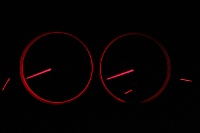
Gen IV Clocks

Stereos, amps, phone kits, Navi...

Re: Gen IV Clocks

Postby zch91 » Thu May 24, 2012 12:07 pm

mynameisdaniel wrote:Thanks guys, the relocation kit is pretty expensive considering it's just a clock, plus I use the ash tray for storage a lot (remotes and stuff). I'd be better off saving the money and getting the computer done sooner I think :P


You can buy the coin tray from PHAT which replaces the fuse cover on the rhs dash and put your remotes etc in there
User avatar
zch91
-stickered-
 
Posts: 2665
Joined: Sat Dec 24, 2011 11:12 am
Location: Darwin, NT
Car: MY04 GT Premium - Silver 5EAT
Real name: Zach
Profile URL: viewtopic.php?f=10&t=15397

Re: Gen IV Clocks

Postby BillBishop » Thu May 24, 2012 3:08 pm

In the name of CarPC build double din unit has been provided from Kenwood, Clarion, Alpine.They have an extravagant features in order to build a well sophisticated PC build.
[spammy signature removed by admin]
User avatar
BillBishop
I've been banned
 
Posts: 1
Joined: Thu May 24, 2012 2:58 pm
Location: Fort Worth
Car: Audi
Real name: Bill Bishop

Re: Gen IV Clocks

Postby seanmau5 » Fri May 25, 2012 9:11 am

Don't you love how there are these new batch of members 'trying' to have constructive input on the forum, all the while with a sneaky URL link in their signature.. :roll:
~ Team VW ~ Das Auto ~
User avatar
seanmau5
-stickered-
 
Posts: 3305
Joined: Wed Mar 23, 2011 12:34 am
Location: Sydney, NSW
Car: 2009 Volkswagen Passat CC V6
Real name: Sean
Profile URL: viewtopic.php?f=10&t=13255

Re: Gen IV Clocks

Postby mitchy_bobby » Fri May 25, 2012 1:35 pm

that could possibly be it, it required the sat nav to give it the time then is available on the scroll menu. looks like relocation panel is the only option.

Just get a cheap digital one from hot dollar or reject shop and blutack it to the dash :D problem solved.
User avatar
mitchy_bobby
 
Posts: 90
Joined: Mon Feb 21, 2011 8:28 am
Location: Country. NSW
Car: MY02 Heritage & MY08 GT Spec B
Real name: Mitch

Re: Gen IV Clocks

Postby mynameisdaniel » Fri May 25, 2012 3:32 pm

Haha I was tempted to, at the moment my solution is to keep my iPod touch plugged into the screen permanently (unless using my iPhone) then whenever I need the time I just hit the button on that and the time comes up :P
User avatar
mynameisdaniel
 
Posts: 1224
Joined: Mon Jun 13, 2011 1:47 pm
Location: Adelaide, Australia
Car: 07 Subaru Liberty GT tbSTi Sedan
Real name: May or may not be Daniel
Profile URL: viewtopic.php?f=10&t=15835

Previous

Return to Audio options

Who is online

Users browsing this forum: No registered users and 5 guests