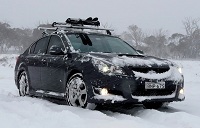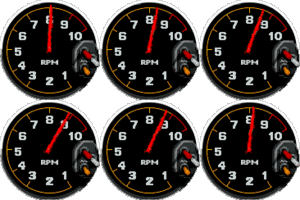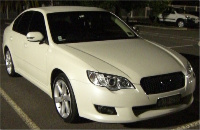


I thought I might post and share this project will everyone to get your thoughts and ideas on installing a custom car PC and also provide a resource for others wishing to do the same.
Aim
To install a PC Multimedia system into the Subaru Liberty GT Spec B with the following requirements:
- Retain the look of the factory GPS with regards to screen location and installation
- VGA Touch Screen
- GPS navigation
- DVD / MPEG / DivX / DVB-T
- OpenECU tuning tools including the ability to log and display ECU parameters in real time.
- Digital gauges and graphs (similar to the gauges in an R35 GTR)
- WiFi connectivity to home network with automatic synchronisation of files and folders.
- 3G & Wifi Internet access including all protocols for VoIP, WWW, Email, Messenger
- Component based install, with separate LCD screen and PC for ease of replacement / upgrades.
- Bluetooth Sync to mobile devices (phones etc)
LCD Screen
After researching a number of custom car PC instillations I have chosen to use a 7” LCD Touch Screen from Lilliput (629GL-70NP/C/T). This screen has an LED backlight and 4-wire resistive touch screen with USB interface. Removed from its OEM case it will fit exactly into a 2-DIN space. It also includes a IR remote control. It has a VGA input (1024 x 768) so it can be connected directly to a PC. Compared to using a VGA to PAL converter, the quality is far superior.
Edit: mp3car.com have a modified transflective version of the 7" Lilliput LCD. It retails for about three times the price though! After watching a few youtube video's, comparing the transflective and non-transflective versions I was able to see what a difference this enhancement makes. Given the bright (and hot) summers here in Oz I think the transflective version would be a good investment. http://www.youtube.com/watch?v=FaeBO46qgvw
http://store.mp3car.com/7_inch_Touchscreens_s/27.htm
http://www.lilliputweb.net/ts629.html
http://www.mechatroniks.com/wrx/ordering.html
http://www.mechatroniks.com/wrx/carcomputer.html
The PC
I have chosen the EeePC (1002HA) by Asus over a custom car type PC for a number of reasons. The EeePC is a small, low cost and lightweight ‘Netbook’ type computer. It contains a 1.6Ghz Intel Atom processor, 1GB of RAM and a 160GB hard disk drive. There are 3 USB ports, Bluetooth, WiFi and VGA out. It has an internal battery capable of powering the unit for about 5 hours.
The internal battery offers the ability to run the PC without the use of the car’s battery. When the car is switched off, the PC will remain running, downloading / synchronising media from my home PC over WiFi. Once synchronisation is complete the PC will shutdown automatically. This eliminates the need for CD and DVD in the car.
I purchased the EeePC and the 5-year warranty. Given the environment that the PC will be running in I think the extended warranty is a wise choice. I think you will be hard pressed to build a car pc (case, psu, cpu etc) for this price & you will only have a 1yr warranty on components.
The EeePC is a compact notebook & contains its own LCD screen although, while in the car, it will be connected to the LCD in the dash. It can be easily removed from the car and used as a stand-alone device. The EeePCs’ 3.5mm Audio Out will interface with the Macintosh system via the AUX input. The 3.5mm mic input will be wired to a microphone, located hear the drivers sun visor for voice control and Bluetooth calling.
PC Options
I purchased the Tactrix OpenPort 2.0 cable which will connect the car’s ECU to the EeePC via USB. This will allow me to run ROMRadier and other tools to log ECU parameters in real time. The data will also be used to run custom gauges, in software, similar to that used in the R35 GTR.
A USB GPS receiver will provide GPS data to the software. Storage can be expanded with a 500GB notebook drive if required.
Software
I will be dual booting the EeePC with Windows XP and eeebuntu - a flavor of Ubuntu Linux for the EeePC.
Windows XP
Over the past few weeks I have been testing a few front-end applications to drive the Car PC. The first is a free application called FrodoPlayer http://www.licausi.com/frodoplayer/. This is a simple touch screen optimised GUI and offers the ability to launch applications, play video, audio and has changeable skins. I found the software a little to simplistic and the interface is a bit rough. It would also seem that development has been discontinued some time ago. The next product I tested was StreetDeck http://streetdeck.com/ a very nice front end GUI with many customised options. The interface is animated and the developer tools allow the GUI to be further expanded beyond its original form. Finally I tested Centrafuse 2.0 by flux media http://www.fluxmedia.net/Default.aspx. This application is most impressive! The GUI is fully customizable, animated and smooth. .NET plugins are available including this neat OBDII plugin supporting the Subaru SSM protocol- follow the posts at: http://www.mp3car.com/vbulletin/centrafuse/123717-subaru-ssm-working-almost.html An SDK is available in many languages (C++, C# VB etc) and out of the box it supports Bluetooth audio, voice commands, WiFi, IE, Rear Camera, OBDII graphs / gauges - the list is impressive. It has built in Sat-Nav, using Destinator Australia, however the maps are a few years old. I was reading a post and they are having problems getting maps from Destinator. The new version of Centrafuse (v3) is due out soon and the forums mention that they are changing vendors and including the ability to integrate other versions of nav software. The cost; a very reasonable $62. Given the impressive feedback, forums and development going on with this product right now I feel it will be a great choice for further upgrades & development of my own.
My GPS software of choice is Garmin Mobile PC which I will launch/run right out of Centrafuse. The Australian maps are up to date, the interface is very nice and it works a treat. Other Apps I will launch from Centrafuse include: RomRaider http://www.romraider.com and the SSM plugin mentioned above.
I should also note that I tested Windows Media Center and MythTV. I found that these apps are not really optimised for a touch screen and at the very least you need a remote control to perform operations. The lack of a 'back' button on-screen means you need to either press 'esc' on the keyboard or use the remote for navigation.
eeebuntu
I was planning on using eebuntu and MythTV as my main interface however this was before I discovered Centrafuse. The power, flexibility and simplicity of Windows & Centrafuse makes for a quick install and smooth operations. I plan to continue testing an Ubuntu flavor of CarPC however I am rather excited about developing plug-ins in C++ for Centrafuse so this will be my main focus. More on that as I get everything installed.
I will be using eeebuntu NBR, a version of Ubuntu Linux customised for the EeePC. The NBR version is customised for net-books and provides an X layout that is optimised for use with a touch screen. http://eeebuntu.org/index.php?page=nbr
MythTV will provide the main interface for the system including all multimedia features. Its customisability & skins allow buttons to be configured to launch other applications such as GPS and ECU software. http://www.mythtv.org/detail/mythtv
RomRaider is developed in Java with a Win32 and Linux version available for download. http://www.romraider.com
Garmin Mobile PC will be used (under Wine emulation) as the default GPS application. https://buy.garmin.com/shop/shop.do?cID=139&pID=13484
Cost of Hardware
EeePC $419
5 yr Warranty $79
mp3car.com Lilliput Transflective 7" LCD (629GL) $1025
Tactrix OpenPort 2.0 $267
Cables $30
USB GPS $49
Double Din Console $330 from AVO (H0017AG932) insure you get this model as it fits the Lilliput perfectly
Centrafuse S/ware $80.80
Total $2279
*All prices in AU dollars and includes delivery
Subaru only stock the standard (non GPS) type console for $275 so I purchased one from AVO JDM – see Hobbers’ post below. I also own a copy of Garmin Mobile PC so factor this in if you plan to purchase GPS software. Note: The standard Lilliput 7" LCD (non transflective enhancement) costs only $330 AUD delivered.
Installation
Installation should be rather simple with the majority of work centred around modifying and installing the LCD screen. Looking at pictures of the Subaru OEM facia for Sat Nav - just some trimming and installing of mount points will be required to fit the LCD. If the standard facia (with the lift up lid) is used then plastic work, priming and painting will be required to remove the clock and fill this section to fit the size of the LCD. A couple of links below on how to modify a facia / bezel for custom installs.
http://legacygt.com/forums/showthread.php?t=83916&page=2
http://www.mechatroniks.com/wrx/carcomputer.html
https://www.timekiller.org/carpc/index.php
More photos can be found on Pg. 3 of this post.

 car pc's have always fascinated me. Good luck mate!