Page 1 of 4

got iPOD???

PostPosted: Wed Jan 24, 2007 2:37 pm
by FO00LY
...i do!
hooked up my iPod to my McIntosh today! took me 30mins! now i can control my ipod thru the OEM headunit!

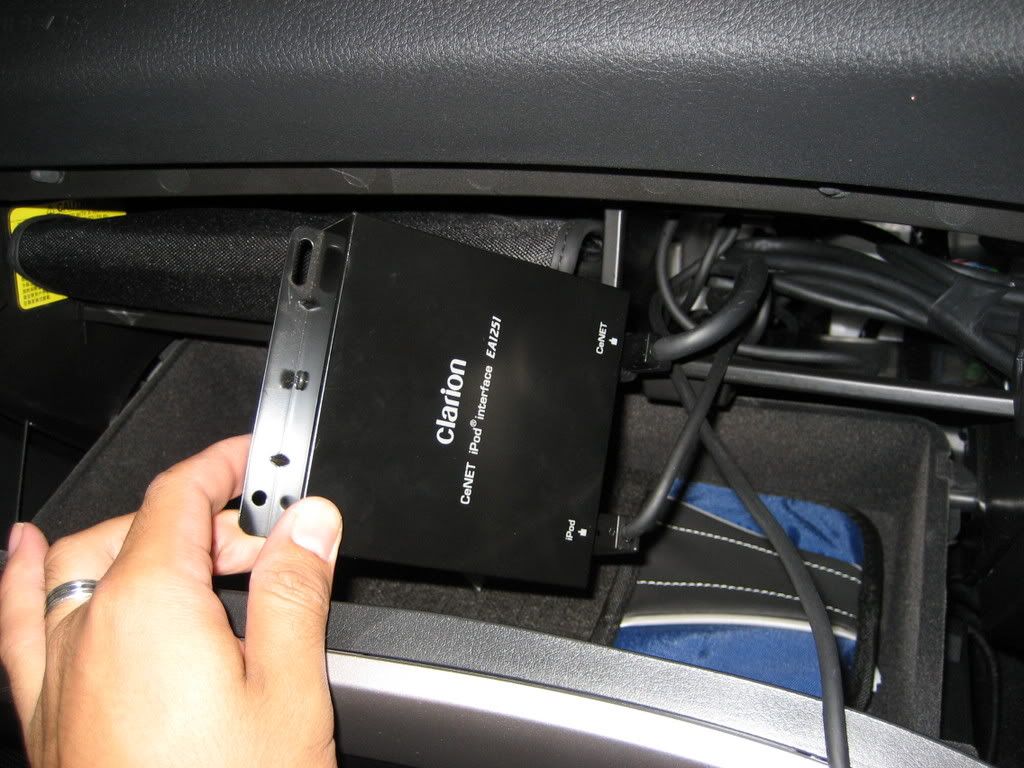
all u need is a "Clarion CeNET iPod interface" unit which can be had for $200 from the shop or there is a guy on ebay selling them for $170(dont know about warranty issues etc etc). The model number is EA 1251. Then its jsut a matter of taking out the McIntosh and plugging in the CeNet cable into the back of the headunit.

Ill take some pics soon and post them up. Theres not much to see because everything is hidden, but u can see where i put the ipod and how OEM it all looks! :D

not sure if this is the same for the normal headunits in other Liberty's but if you have the CeNet slot at the back i cant see why it wont work.

Also, the unit also charges ur ipod!
PostPosted: Wed Jan 24, 2007 4:25 pm
by hieu1976
dude.. you're a legend... i actually had my car in today to get an FM Modulator installed but they've been unable to hook it up.

Looks like I'll have to check this unit out instead!

cheers!

PostPosted: Wed Jan 24, 2007 8:06 pm
by Akwoo
audiotech in tuggeranong can hook u up hieu, got mine installed by them

PostPosted: Wed Jan 24, 2007 9:10 pm
by hieu1976
icandy wrote:audiotech in tuggeranong can hook u up hieu, got mine installed by them


Thanks Alan - I came across your posts on the LegacyGT forum. I'll give them a call tomorrow.

PostPosted: Wed Jan 24, 2007 9:26 pm
by FO00LY
hieu,

if u want, i can help u hook it up...seriously it will take me less than 30mins this time round as i was being careful the first time trying to get the consol out...

just go to any car audio joint and pik up the unit and ill be more than happy to help u out...

it works a treat and the sound quality is certainly better than that FM mod stuff and would be better than using the AUX in, unless u can get a line level source

PostPosted: Wed Jan 24, 2007 9:35 pm
by GT25
Interested to know whether you can access all the iPod features - like all of your playlists etc. Previous version only supported 4 playlists.

I have the AUX socket from Mr Subaru. Sound quality is same as MP3 played in the CD player, but of course you control everything on the iPod.

Greg.

PostPosted: Wed Jan 24, 2007 9:47 pm
by FO00LY
u have 6 playlist. it works by using ur cd stacker buttons (ie. the 1-6 buttons) on the OEM headunit.
playlist 1:all songs on ipod
playlist 2: custom playlist 1
playlist 3: custom playlist 2
playlist 4: custom playlist 3
playlist 5: custom playlist 4
playlist 6: custom playlist 5

PostPosted: Wed Jan 24, 2007 9:58 pm
by hieu1976
FO00LY wrote:hieu,

if u want, i can help u hook it up...seriously it will take me less than 30mins this time round as i was being careful the first time trying to get the consol out...

just go to any car audio joint and pik up the unit and ill be more than happy to help u out...


cheers for the offer bro... I'm in Canberra most of the time these days though - not Sydney. I think i might order that unit on eBay like u suggested, then get it installed. Might look you up if i have some trouble - thanks again mate.

PostPosted: Wed Jan 24, 2007 10:02 pm
by hieu1976
GT25 wrote:Interested to know whether you can access all the iPod features - like all of your playlists etc. Previous version only supported 4 playlists.

I have the AUX socket from Mr Subaru. Sound quality is same as MP3 played in the CD player, but of course you control everything on the iPod.

Greg.


I usually use the FM Transmitter on the iPod.. but the quality is crap. And fidgeting around with the iPod is damn dangerous while driving. The level of integration with the std head unit in this thing is pretty awesome.

PostPosted: Wed Jan 24, 2007 10:03 pm
by FO00LY
no worries man, its a prety simple install

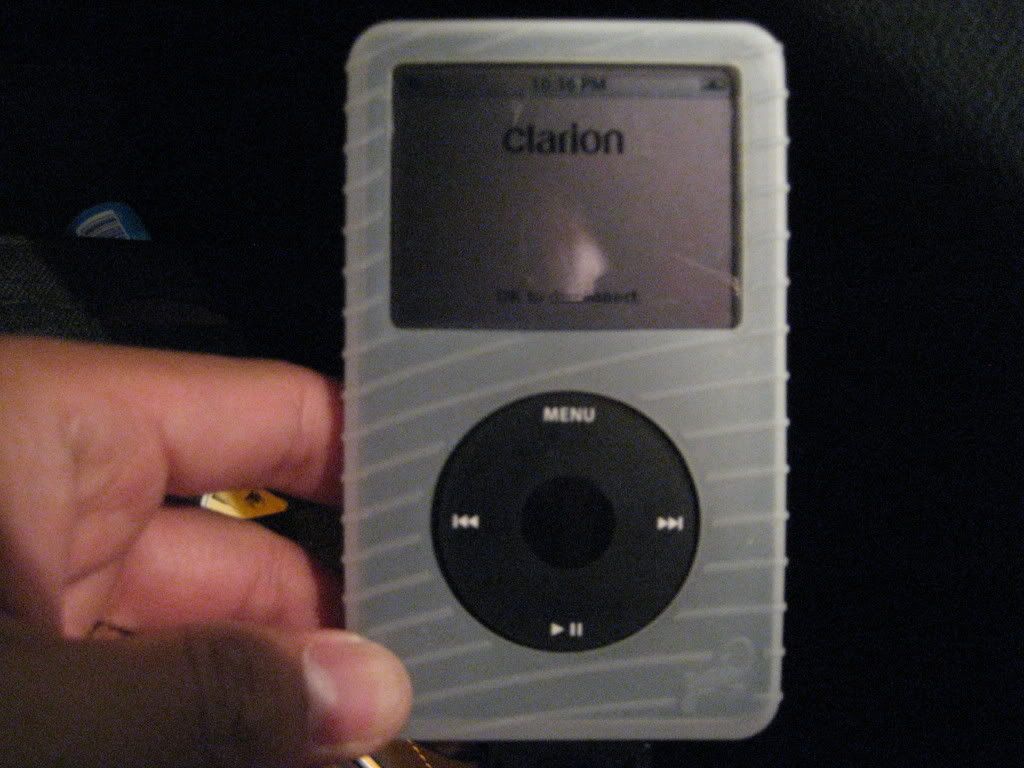
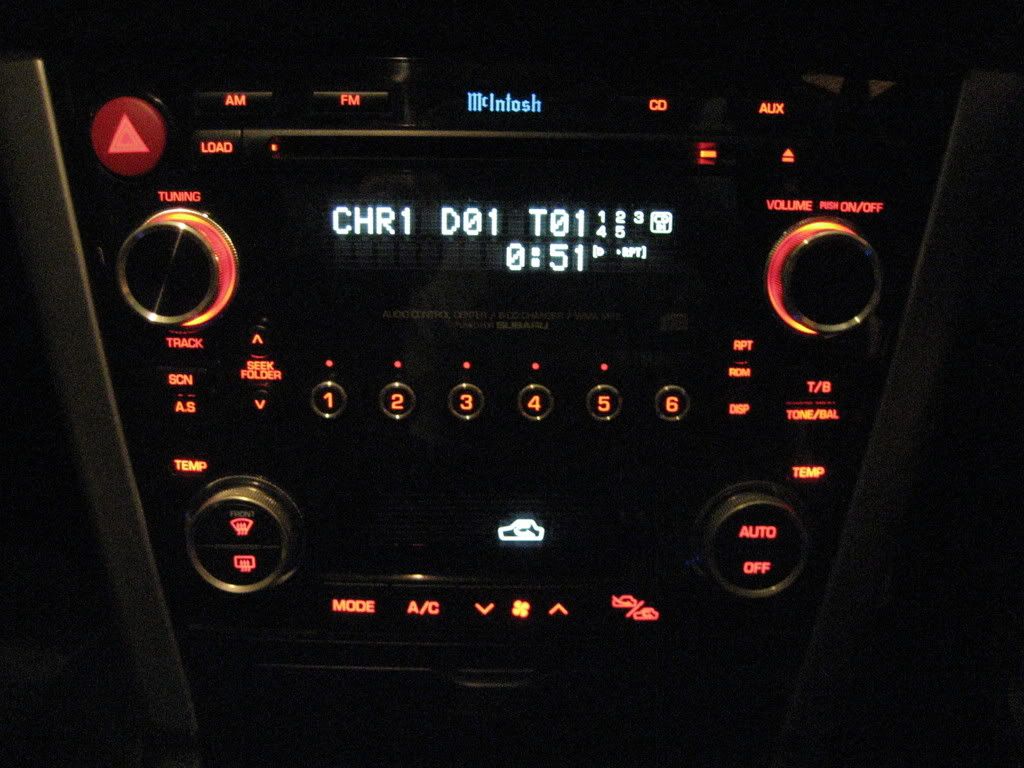
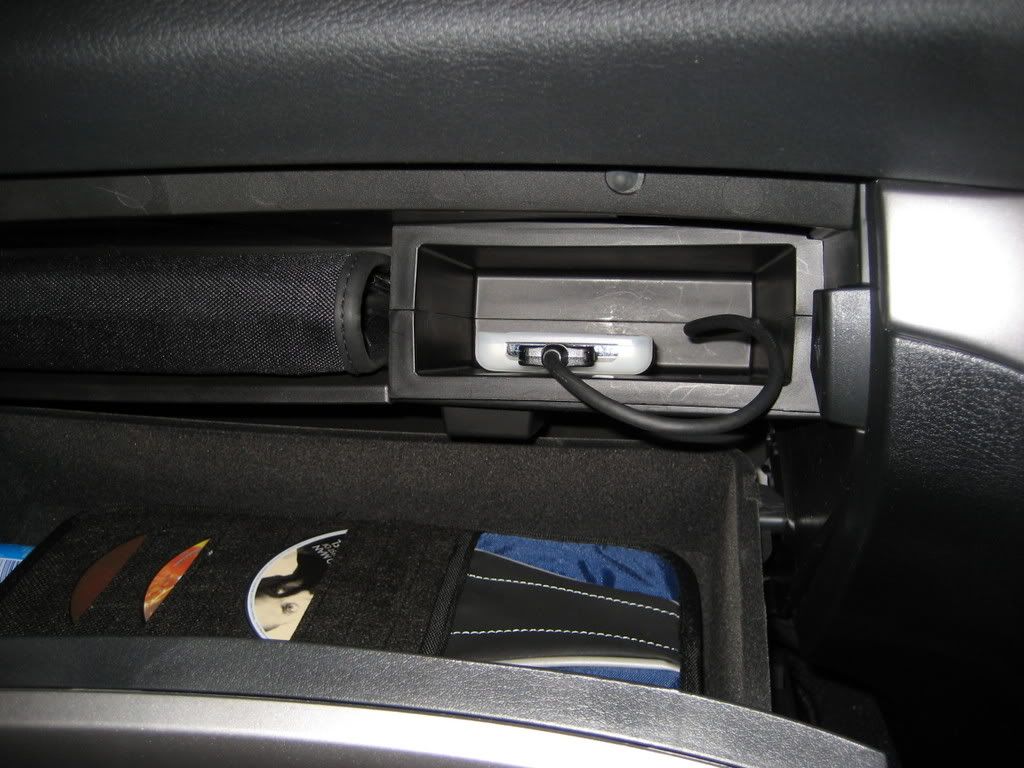
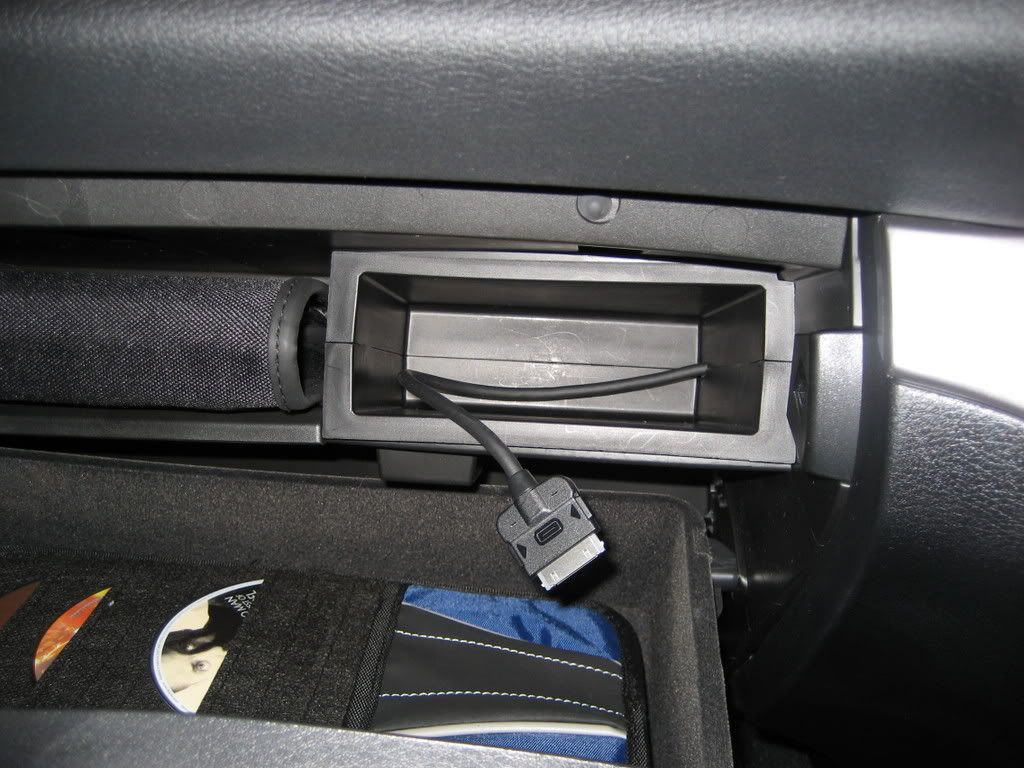
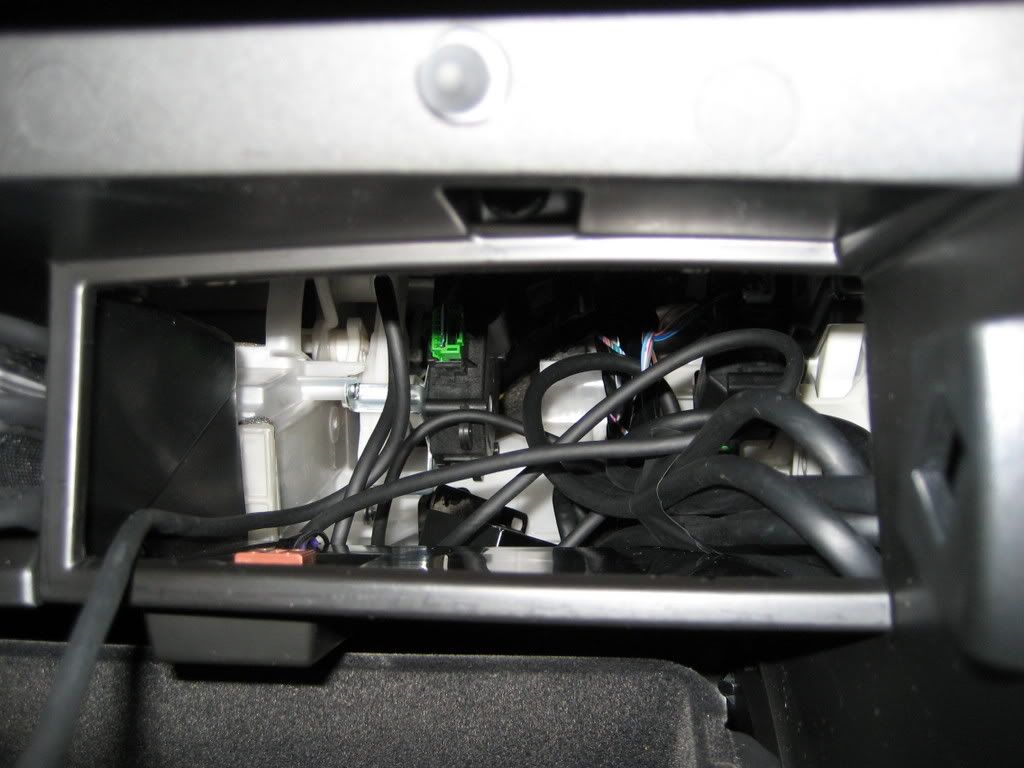
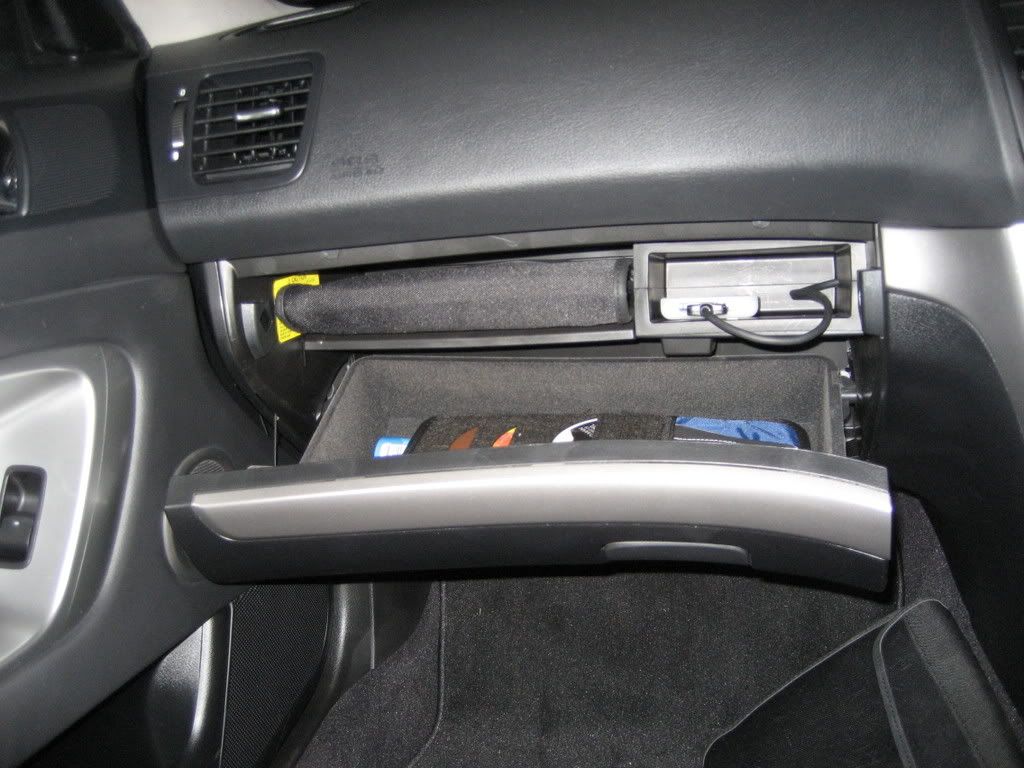
here are some mpics i just took...
tucked away in glove box:
Image

what ur ipod looks like once plugged into unit:
Image

what it looks like on ur McIntosh:
Image

close-up in glove box compartment:
Image

ipod cable:
Image

the unit itself:
Image

the messing wiring, which i have yet to clean up :D :
Image

PostPosted: Wed Jan 24, 2007 10:13 pm
by GT25
FO00LY wrote:u have 6 playlist. it works by using ur cd stacker buttons (ie. the 1-6 buttons) on the OEM headunit.
playlist 1:all songs on ipod
playlist 2: custom playlist 1
playlist 3: custom playlist 2
playlist 4: custom playlist 3
playlist 5: custom playlist 4
playlist 6: custom playlist 5


Looks like playlist functionality hasn't improved. OK on an iPod nano. Not so good on a 30 or 60Gb model.

Greg.

PostPosted: Wed Jan 24, 2007 10:20 pm
by FO00LY
GT25 wrote:
FO00LY wrote:u have 6 playlist. it works by using ur cd stacker buttons (ie. the 1-6 buttons) on the OEM headunit.
playlist 1:all songs on ipod
playlist 2: custom playlist 1
playlist 3: custom playlist 2
playlist 4: custom playlist 3
playlist 5: custom playlist 4
playlist 6: custom playlist 5


Looks like playlist functionality hasn't improved. OK on an iPod nano. Not so good on a 30 or 60Gb model.

Greg.


yeah not as cool as what some of the aftermarket headunits can do. But i didnt like the idea of taking my eyes off the road messing with the ipod. the dealership wanted $140 for the AUX in...as opposed to the $180 i paid for the clarion which also charges the ipod and was a neater install. The Aux in does have its pros.

PostPosted: Wed Jan 24, 2007 11:11 pm
by AndrewCowley
What if you create an On The Go playlist, will this be accessible via the headunit once the iPod is connected through the Clarion interface?

I have over 300 CD's on my iPod and it would be impossible to create 6 playlists that could then be used in any meaningful fashion to play a particular CD. But say I wanted to listen to a particular CD then adding it into an On The Go playlist is easy and then if I could access that playlist it would work well.

PostPosted: Thu Jan 25, 2007 12:06 am
by FO00LY
AndrewCowley wrote:What if you create an On The Go playlist, will this be accessible via the headunit once the iPod is connected through the Clarion interface?

I have over 300 CD's on my iPod and it would be impossible to create 6 playlists that could then be used in any meaningful fashion to play a particular CD. But say I wanted to listen to a particular CD then adding it into an On The Go playlist is easy and then if I could access that playlist it would work well.


ill give it a try tomorrow...too tired to go to car now :)
let you know how it goes

PostPosted: Thu Jan 25, 2007 7:53 pm
by Akwoo
remember to take your ipod out of your car after u get out. my car got broken into in sydney and my laptop (I was too buggered after work to walk with it to the hotel) and ipod were taken. but yeah they got into my car without leaving a mark, this is another thread upon itself.